Uzbekistan Digital Health Platform
0.5.0 - ci-build

Uzbekistan Digital Health Platform
0.5.0 - ci-build
Uzbekistan Digital Health Platform, published by Ministry of Health of the Republic of Uzbekistan. This guide is not an authorized publication; it is the continuous build for version 0.5.0 built by the FHIR (HL7® FHIR® Standard) CI Build. This version is based on the current content of https://github.com/uzinfocom-org/digital-health-ig/ and changes regularly. See the Directory of published versions
These are the FHIR server base URLs - the [base] shown in the API examples on every profile page. Append the resource type and any search parameters to one of them, for example [base]/Patient?identifier=....
playground.dhp.uz/fhirfhir.dhp.uzThe profiles in this guide define the target FHIR surface for DHP. The platform enables that surface in stages, so a few capabilities are not on the playground yet. Build to the profile as written - the request shapes shown throughout this guide are correct; where a capability is not yet live, the note below gives an interim approach.
Status reflects the playground as of 2026-06-03 and changes as the rollout progresses. Treat the profiles, not this table, as the source of truth for the intended behaviour.
| Capability | Playground | Working with it today |
|---|---|---|
AuditEvent, Consent, Provenance, DocumentReference endpoints |
Not yet enabled | The examples are correct for when these go live; defer these integrations for now. |
Date-range search on Observation (date), Condition (onset-date), Procedure (date), Immunization (date), Specimen (collected), AdverseEvent (date), PlanDefinition (date) |
Returns results unfiltered by date | Apply the date filter in your client for now. Condition (recorded-date), Encounter (date) and EpisodeOfCare (date) do filter as expected. |
Search on Practitioner (qualification-code), Organization (partof), Procedure (status), PlanDefinition (context-type-value) |
Returns results unfiltered | Filter client-side for now. |
$validate-code / $expand against UZ Core CodeSystems and ValueSets |
Load when this IG is published to the platform | International code systems (ICD-10, HL7) already validate. Full LOINC and SNOMED CT terminology services are not yet live. |
Access to the DHP FHIR APIs is secured with OAuth 2.0 through a centralized Single Sign-On (SSO) server, supporting both backend (client_credentials grant) and frontend (authorization code grant with mandatory PKCE) applications.
Client registration, the authorization flows, obtaining and using access tokens, and error responses are documented in full on the SSO server: sso.dhp.uz/docs.
FHIR transactions let you submit multiple resources in a single atomic request. Either all operations succeed, or none are applied - there are no partial results.
A transaction is a Bundle with type set to transaction. Each entry contains:
fullUrl - a temporary urn:uuid: identifier for the resourceresource - the resource to create or updaterequest.method - the HTTP method (POST to create, PUT to update)request.url - the resource type (for POST) or resource path (for PUT)Resources within the transaction can reference each other using their urn:uuid: values. The server resolves these to real IDs after processing.
Submit the Bundle with POST [base] (not to a specific resource endpoint).
Example request: Transaction Bundle JSON - submits an EpisodeOfCare, an Encounter, and three Observations.
On success, the server returns a Bundle of type transaction-response. Each entry contains response.status and response.location with the server-assigned ID.
Example: Successful response JSON
If any entry fails validation, the entire transaction is rolled back and the server returns an OperationOutcome describing the error.
Example: Error response JSON
The platform uses optimistic locking so that two clients updating the same resource cannot silently overwrite one another (the "lost update" problem).
Every read returns the resource's current version as a weak ETag:
GET [base]/Observation/[id]

200 OK
ETag: W/"3"
To update safely, send that value back in an If-Match header. The server applies the write only if the resource is still at that version, and the version then increments:
PUT [base]/Observation/[id]
If-Match: W/"3"

200 OK
ETag: W/"4"
If someone else changed the resource since you read it, the version no longer matches and the write is rejected - nothing is overwritten:
PUT [base]/Observation/[id]
If-Match: W/"3"

412 Precondition Failed
{ "resourceType": "OperationOutcome",
  "issue": [{ "severity": "error", "code": "invalid", "details": { "text": "Version is mismatch" } }] }
On a 412, re-read the resource, re-apply your change on top of the new version, and PUT again. The platform requires If-Match on every update: a PUT without it is rejected with 412, so always send back the ETag from your last read.
<to be filled in - describe error handling here>
Before sending data to the platform, check it against the UZ Core profiles. Use the hosted web validator (nothing to install) or the FHIR validator command-line tool (scriptable). Both run the same validation engine; the setup that matters is loading this IG so the uz-core-* profiles resolve.
For scripted or automated use, download the HL7 FHIR validator and run:
java -jar validator_cli.jar resource.json -version 5.0.0 -ig uz.dhp.core#current
The -ig flag plays the same role as adding the IG in the web validator below.
5.0.0. Then under Implementation Guides, type uz.dhp in the Select IG box, choose uz.dhp.core, pick version current, and click Add. Confirm it now reads Selected IGs (1): uz.dhp.core#current.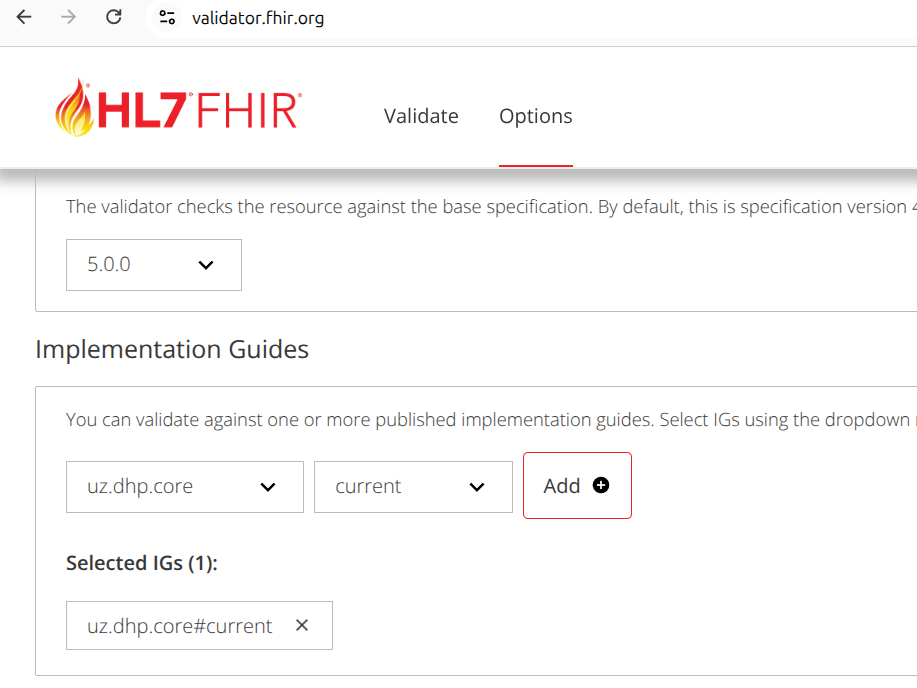
uz.dhp.core#current in Options.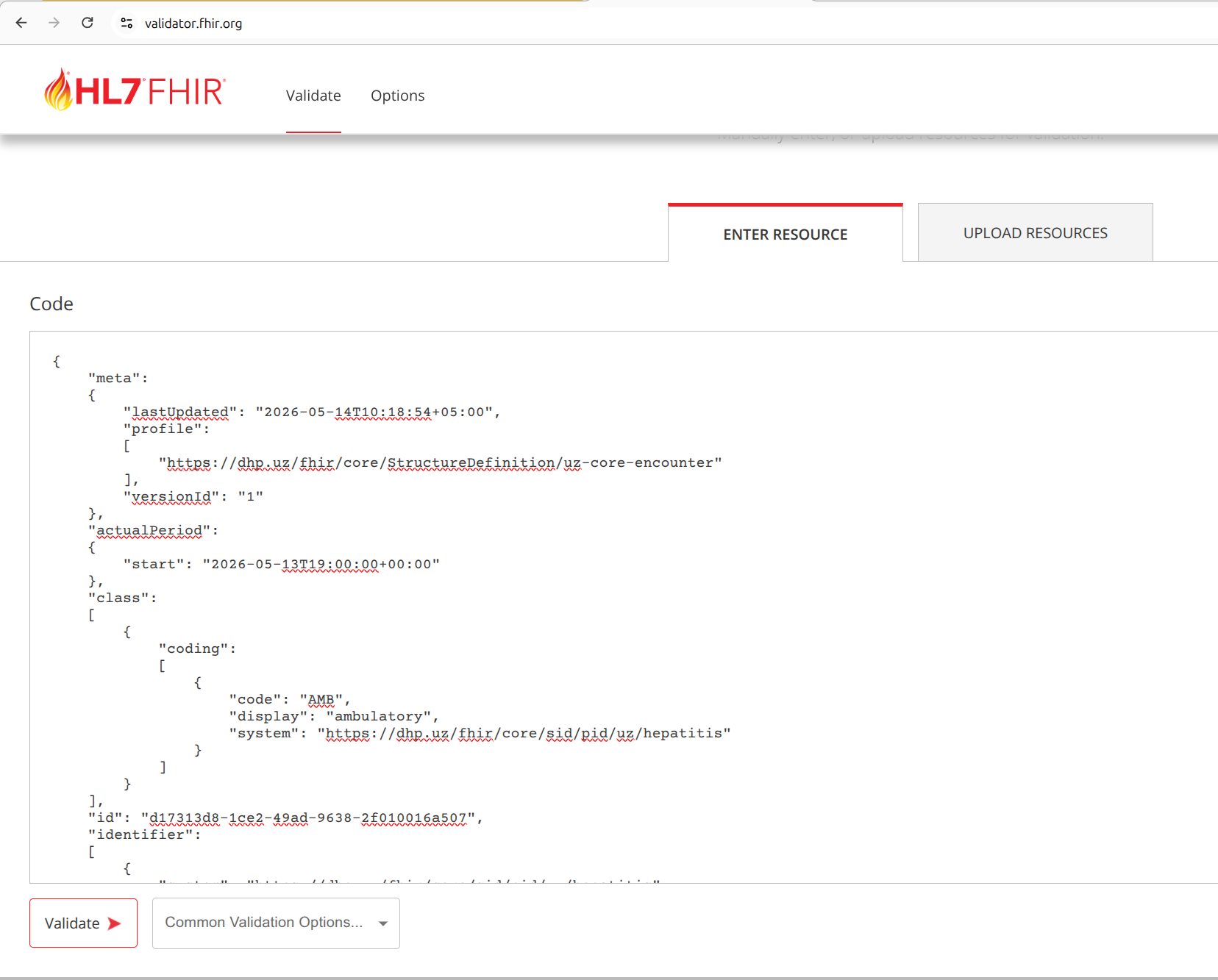
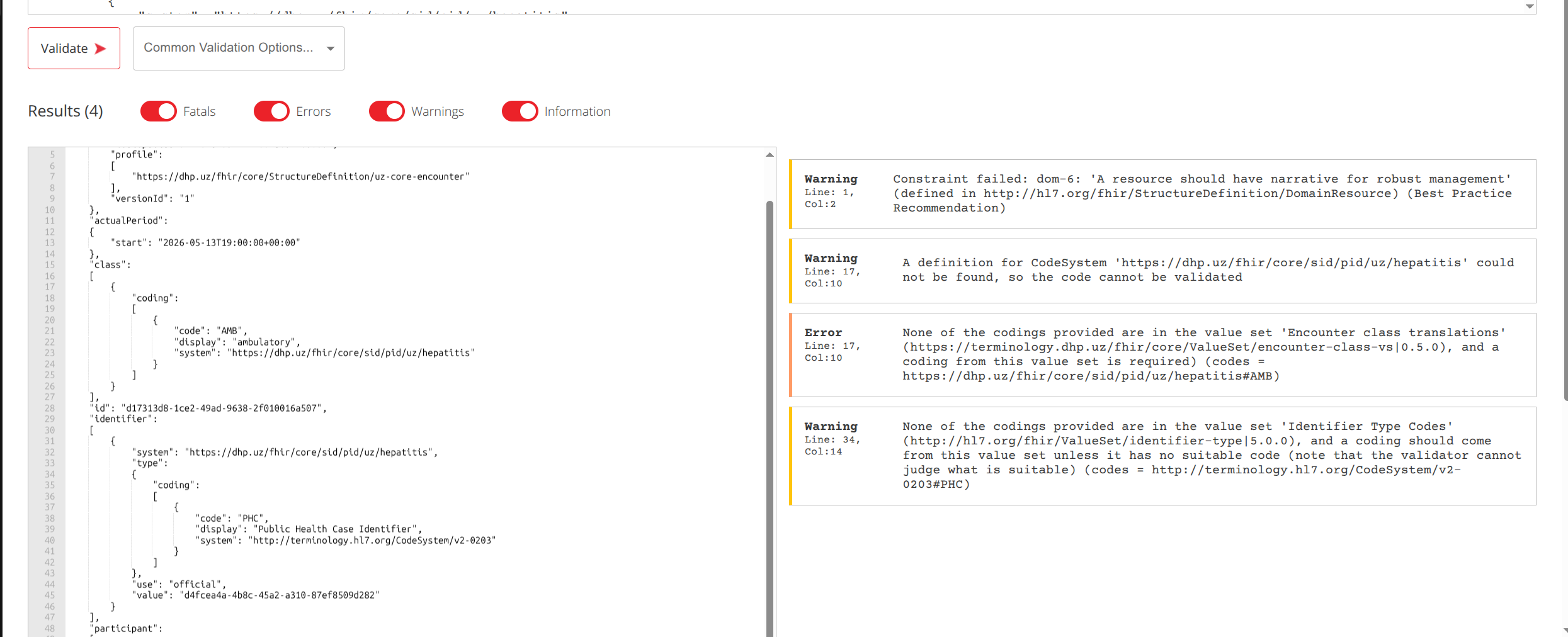
Loading the IG in step 2 is the step people miss. If you skip it, the validator cannot resolve the uz-core-* profile named in the resource's meta.profile and instead tries to dereference its canonical URL over the network, which returns a 404:
Profile reference 'https://dhp.uz/fhir/core/StructureDefinition/uz-core-encounter'
has not been checked because it could not be found ... 404 Not Found
When that happens the resource is only checked against base FHIR R5, not UZ Core, so genuine profile violations are missed.
current tracks the latest build of this IG. A pinned release such as uz.dhp.core#0.5.0 validates against the last formal publication, which can lag behind current and so report fewer issues. Use current while the IG is still evolving.
Many elements in the profiles are flagged Must Support. See the dedicated Must Support page for what that means, the two contexts it is used in, and how to handle elements you cannot populate.