
Value Set Packages
0.1.0-cibuild - CI Build

Value Set Packages
0.1.0-cibuild - CI Build
Value Set Packages, published by Clinical Quality Framework. This guide is not an authorized publication; it is the continuous build for version 0.1.0-cibuild built by the FHIR (HL7® FHIR® Standard) CI Build. This version is based on the current content of https://github.com/cqframework/vsp-ig/ and changes regularly. See the Directory of published versions
Value Set Packages provide a simple way for implementers to obtain all the terminology required to support implementation of any published implementation guide. This application will work with any FHIR Implementation Guide available in the FHIR Package Registry.
A value set package is:
The application supports two primary use cases:
The implementer user is anyone that needs to access complete expansions for the value sets used in a published implementation guide. This may be application developers, systems integrators, business analysts, or clinicians.
The Browse Value Set Packages page allows users to view the available value set packages:
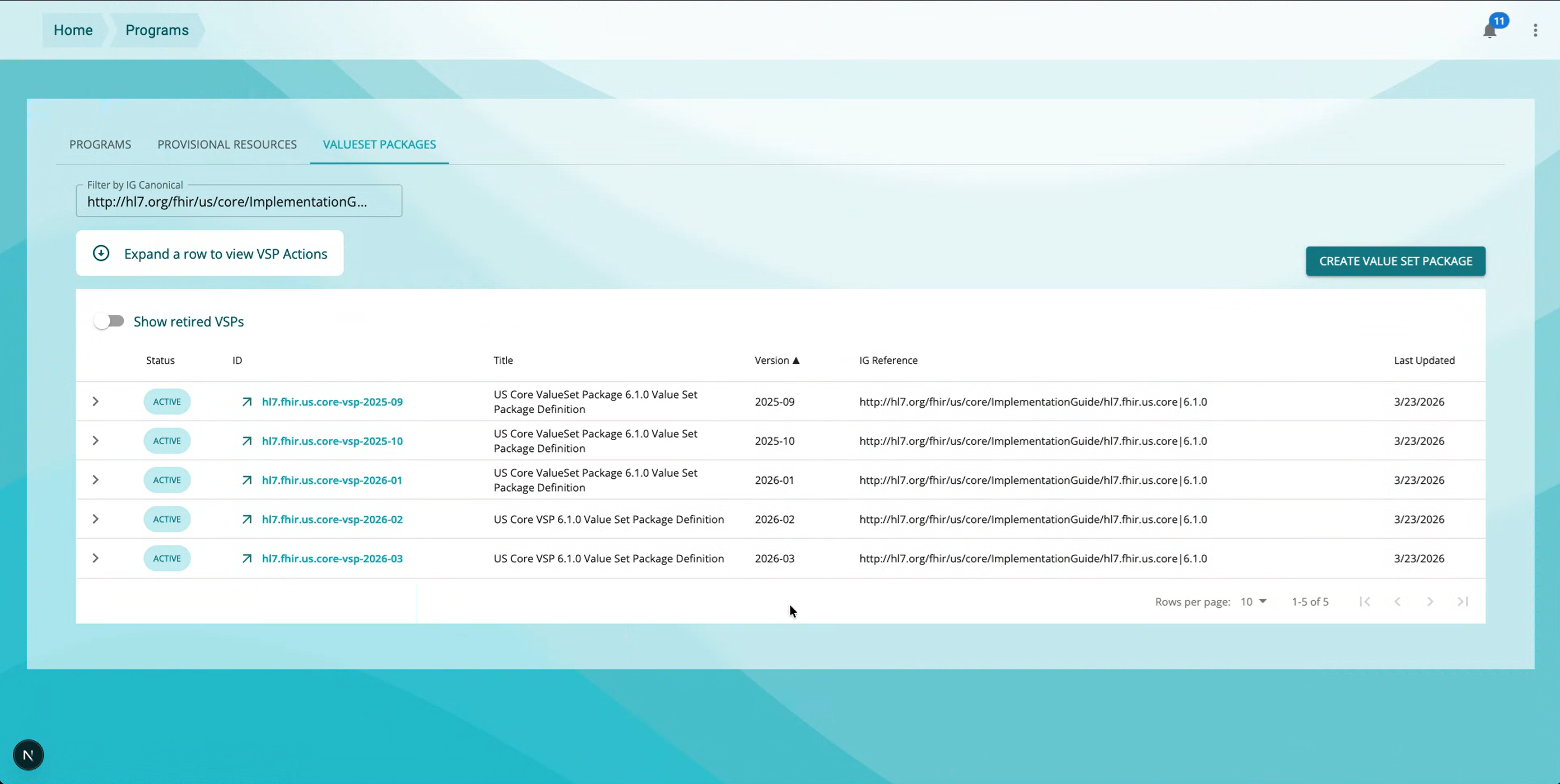
The page includes a Filter by IG Canonical that allows the set of packages to be filtered to those available for a specific implementation guide. This filter can be set to the canonical URL of the implementation guide resource, optionally including the version. For example, to list the available value set packages for version 6.1.0 of the US Core implementation guide, set the Filter to:
http://hl7.org/fhir/us/core/ImplementationGuide/hl7.fhir.us.core|6.1.0
In addition, the filter can be set via the url with the ig-url parameter:
https://cloud.alphora.com/sandbox/vsm/programs?resourceType=vsp&ig-url=&ig-url=http%3A%2F%2Fhl7.org%2Ffhir%2Fus%2Fqicore%2FImplementationGuide%2Fhl7.fhir.us.qicore%7C7.0.1
Once the specific value set package has been identified, click on the ID of the value set package in the list to open the Value Set Package View.
To retrieve the Value Set Package, click on the Export button in the Value Set Package View:
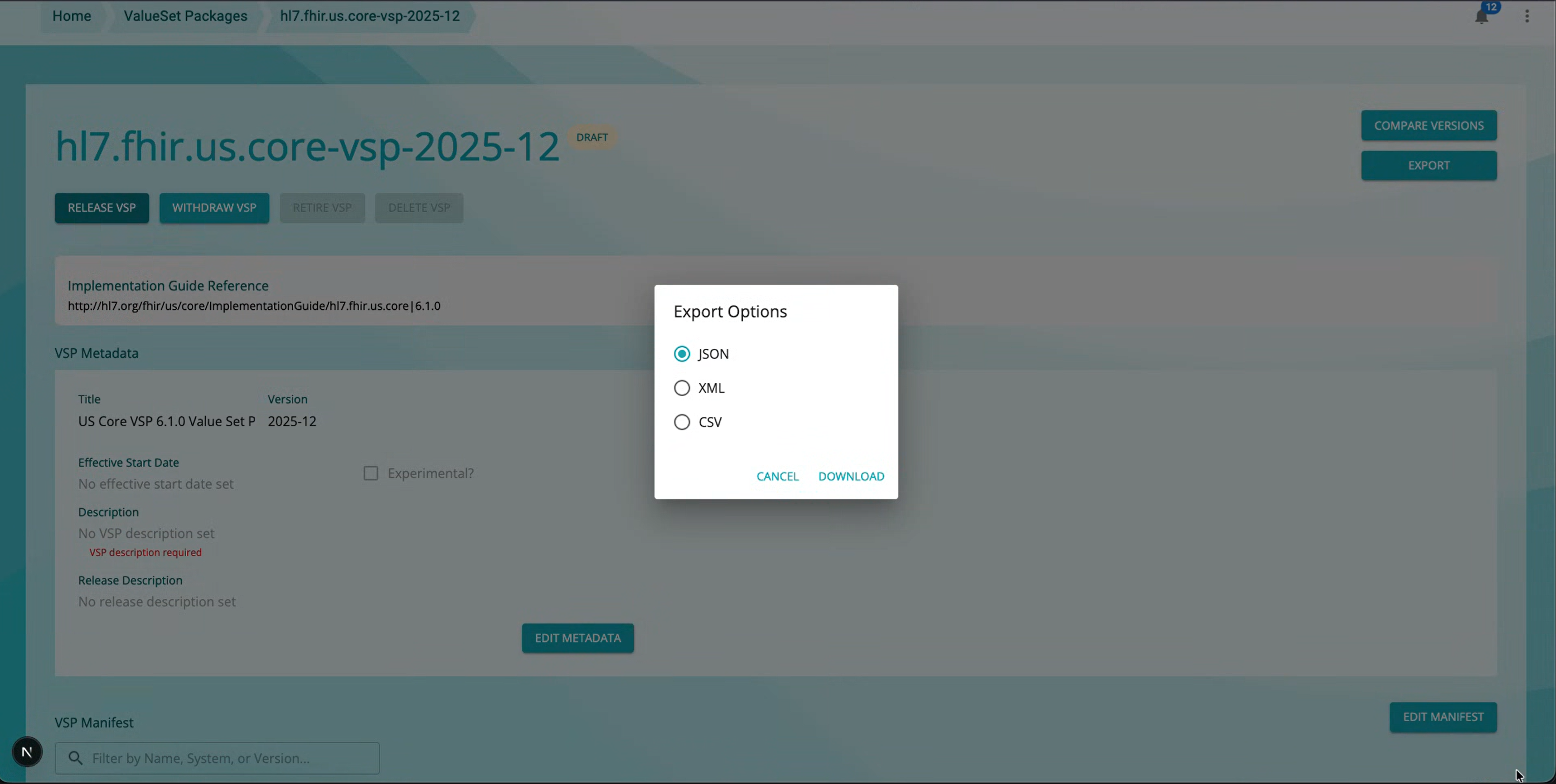
To compare value set package versions, click the Compare Versions button:
Then choose another Value Set Package to compare. This feature allows users to compare differences between the content of two value set packages, displaying differences in:
Note that this capability is also useful as a tool for verifying the expected content changes are present when defining new value set packages.
The Value Set Packages application accesses terminology servers using credentials for each user. To configure the credentials for your user account, go to the settings page, select the terminology endpoint you want to configure, and click Edit. Enter the user name and password you use to access the terminology server and click Save.
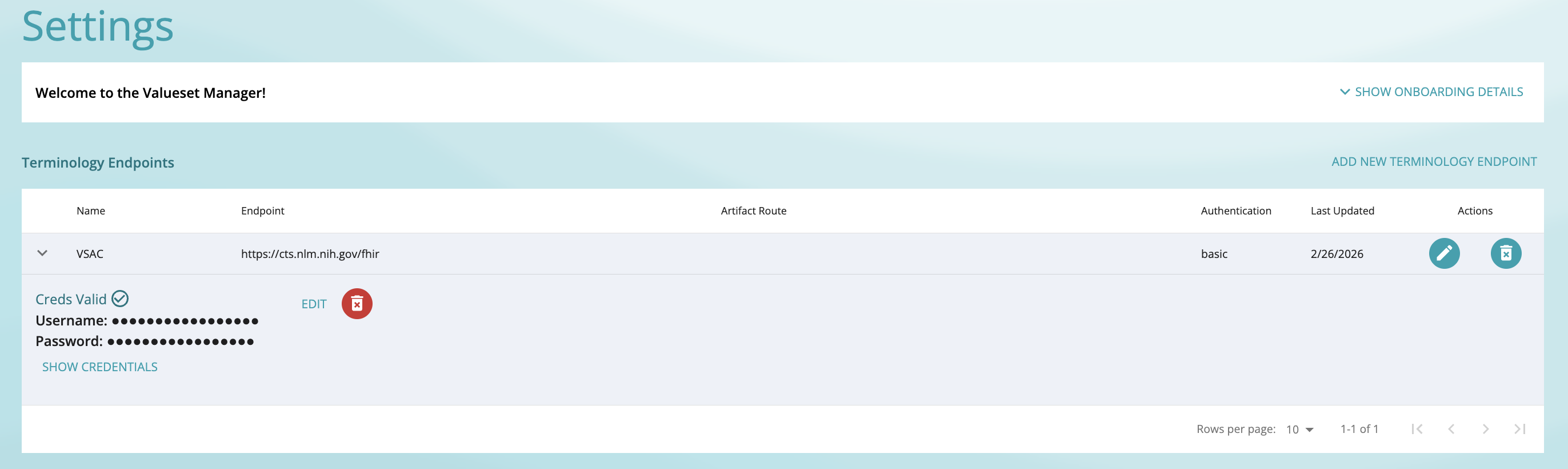
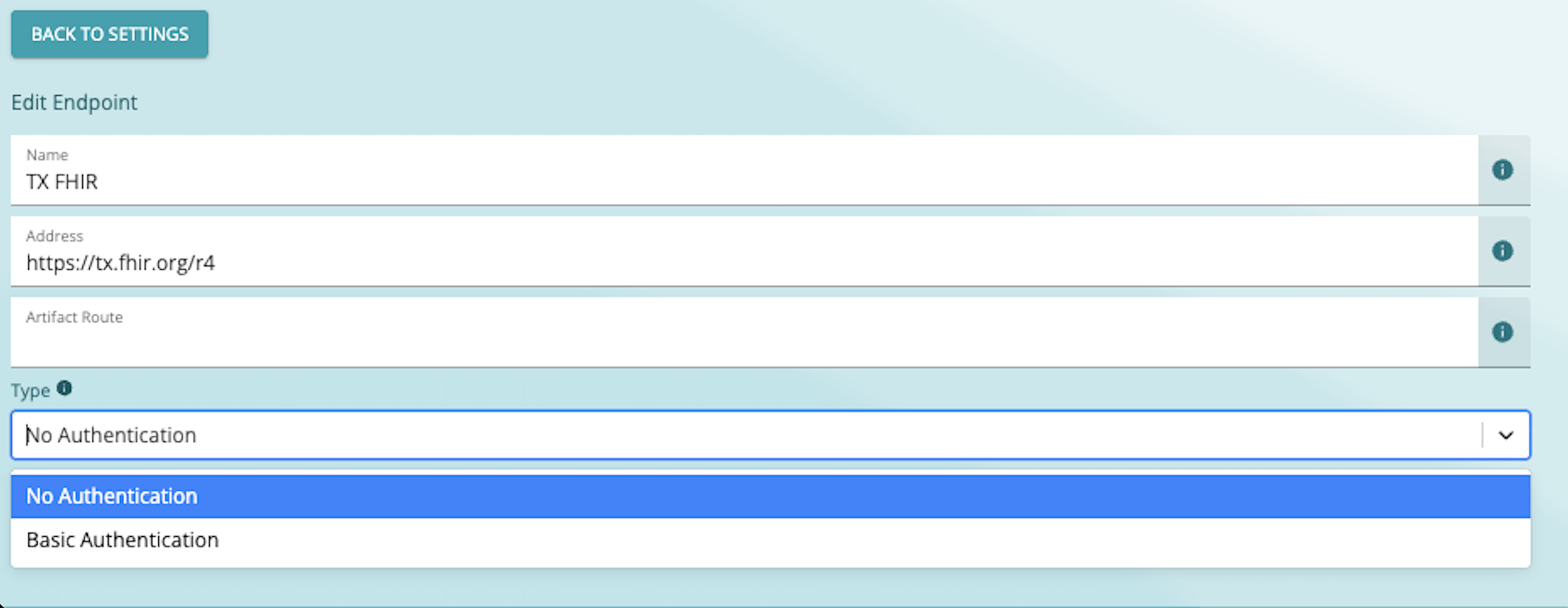
The Value Set Package Manager only supports Basic Authentication for connections to the terminology server at this time.
The publisher user can create value set packages for download. This user is typically, though not always, a FHIR Implementation Guide editor.
On the Browse value set packages page, click the Create Value Set Package button:
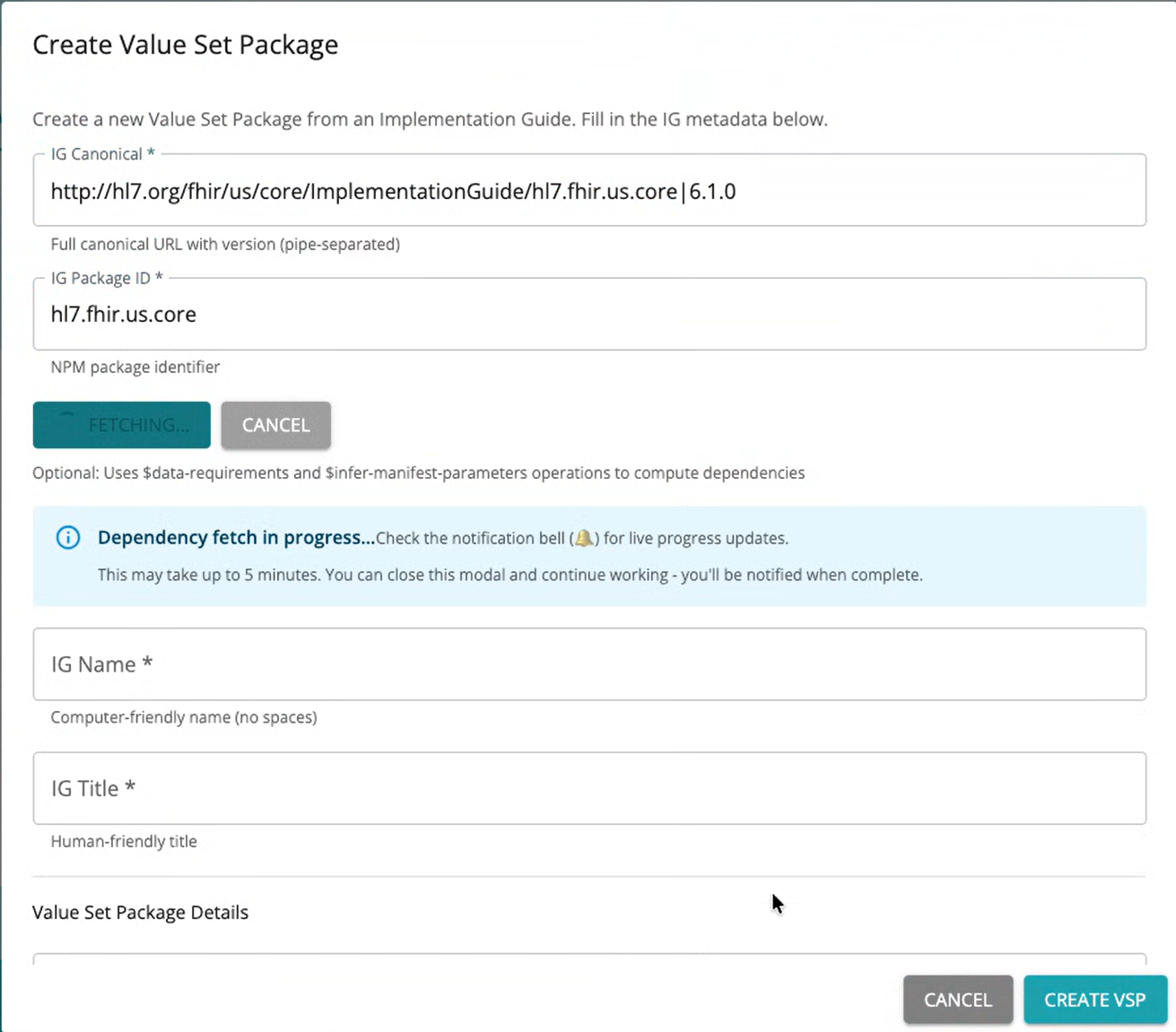
If the Canonical IG was set in the browse, it will be used to default the Canonical IG for the package being created.
The Canonical IG for the value set package must be version-specific (i.e. it must include the pipe and version) to ensure that the value set package is for a specific version of a published implementation guide.
The Package ID is typically the last part of the canonical URL, but it can also be found in the footer of pages in the published implementation guide.
Once the Canonical and Package ID for the IG are set, click the Fetch Dependencies from IG button to start the process of identifying all the value sets and code systems used in the implementation guide and its dependencies. This process can take some time, so the application will allow you to close the edit, preserving current state until the process completes. A notification will appear in the upper right portion of the screen when the dependency process completes.
Other information for the value set package can be set on this page as well:
Note that because the package definition is for a specific version of a published implementation guide, that version should be clearly communicated as part of the identity. For example, a September 2025 Value Set Package for US Core 6.1.0 might look like this:
For simplicity, and to avoid confusion with the version of the implementation guide the value set package is for, a simple date-based version is recommended for versioning value set packages.
The manifest for a Value Set Package Definition specifies the versions of code system (and potentially value sets) to be used when performing expansions for value sets in the implementation guide.
Initially, the Value Set Package will have manifest parameters for all the code systems and value sets used in the implementation guide and its dependencies. If the version of the code system or value set could be determined from the package, that version will be specified in the manifest parameters.
Typically, the external (i.e. not HL7-maintained) code systems such as SNOMED, LOINC, an RxNORM, will not have versions specified as part of the published implementation guide, and these are the ones that will need to be pinned by the value set package definition:
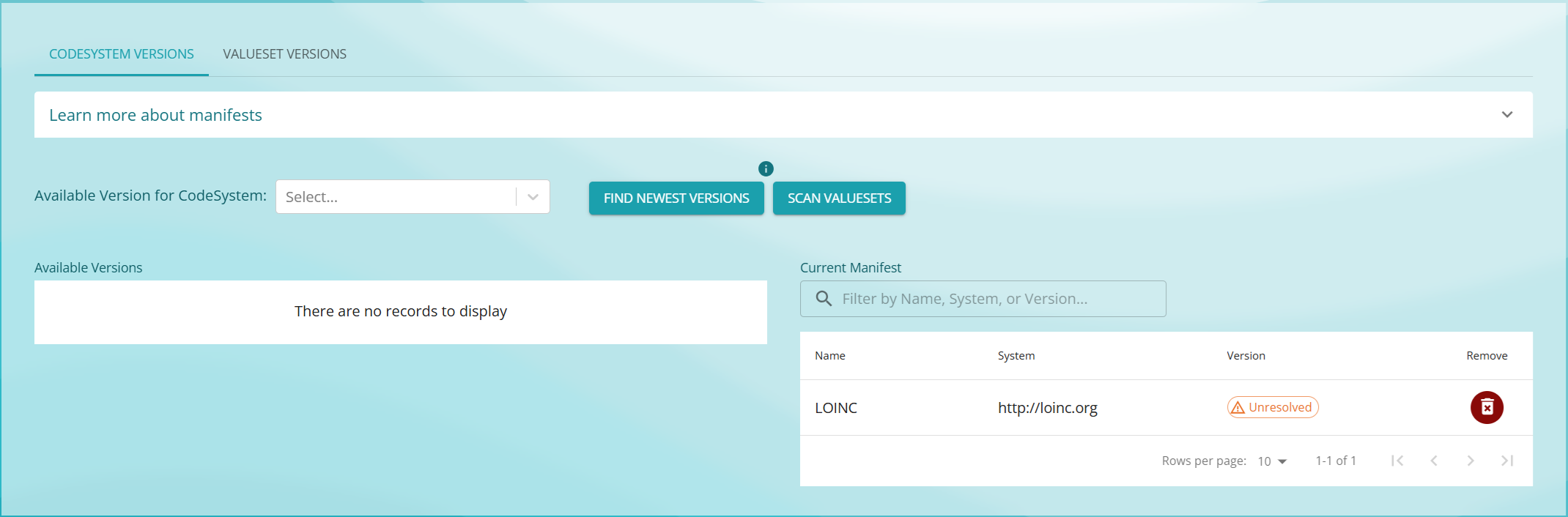
On the right is a listing of the code systems in the manifest. This is any code system used in any value set in the implementation guide, or any of its dependencies, displayed with the currently specified version, or an Unresolved indicator if no version is set.
On the left is a drop down for the code systems available from the terminology server. Use that drop down to select the code system (SNOMED, for example), and then choose the version of SNOMED to be used. The manifest on the right will be updated with the selected version of the code system.
Usually, the version of a value set used is determined by the package dependencies for the implementation guide. In some cases, however, the version of a value set is not specified, and so needs to be set in the same way that code system versions are.
In this case, there are two options:
For the first option, see the Release process documentation.
For the second option, select the Value Sets tab in the Manifest edit:
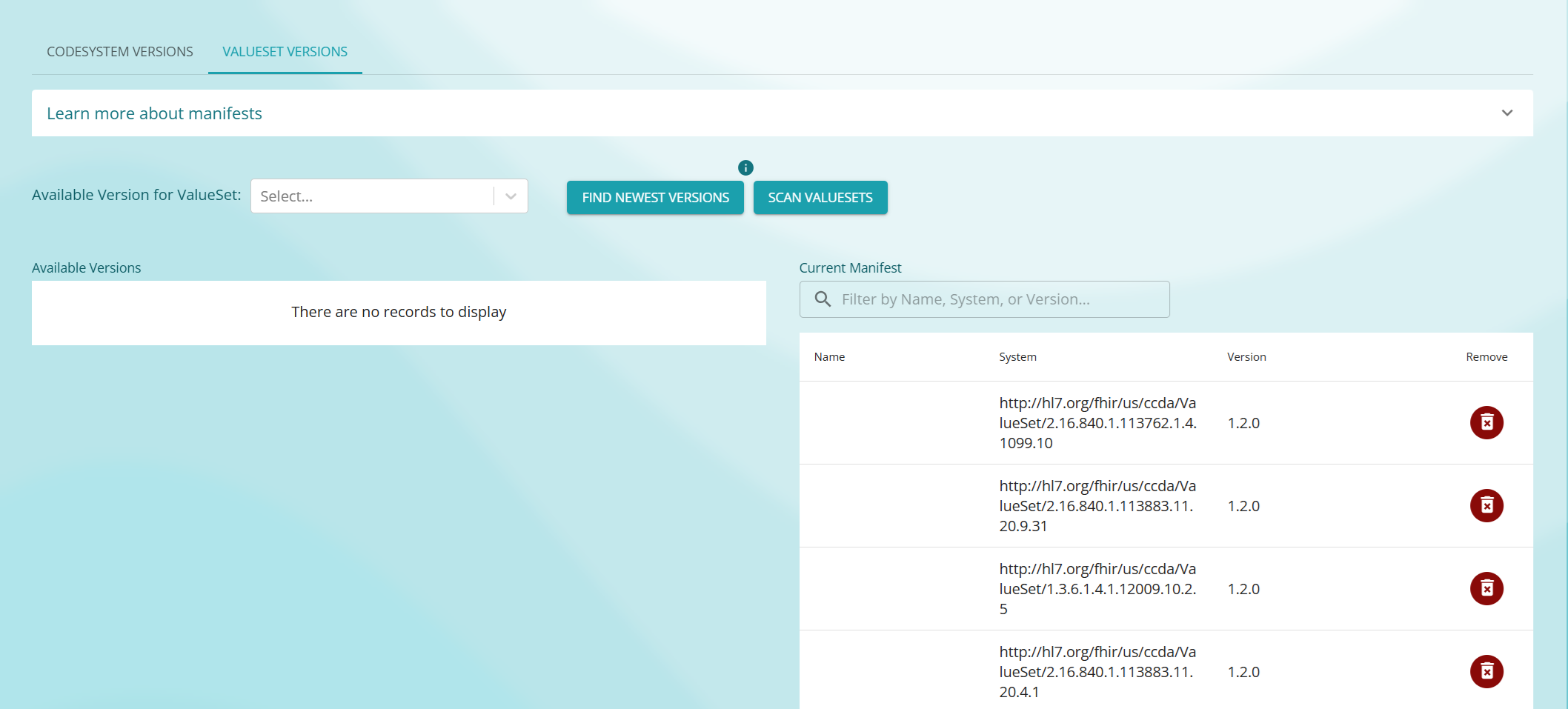
On the right is a listing of the value sets in the manifest. This is any value set defined in or used by the implementation guide, or any of its dependencies, displayed with the currently specified version, or an Unresolved indicator if no version is set.
On the left is a drop down for the value sets available from the terminology server. Use that drop down to select the value set, and then choose the version of the value to be used. The manifest on the right will be updated with the selected version of the value set.
Once the manifest parameters have been set, the value set package can be released. In the Value Set Package view, click the Release button to start the release process.
Prior to releasing, you can review the contents of the package using the
Exportbutton, as well as compare the contents of the package to other versions using theCompare Versionsbutton. Comparison is especially useful for verifying expected changes, as well as producing change documentation.
The release process:
activeOnce a value set package is released, it can no longer be edited. Changes must be made by creating a new version of the value set package.
Prior to releasing, a draft value set package can be discarded using the Withdraw button.
Once a Value Set Package is no longer required, it can be retired using the Retire button. This process updates the status of the value set package definition to retired, indicating that it should no longer be used.
The administrator user has access to all the functionality available in the Value Set Package manager.
The Value Set Package manager uses KeyCloak for user administration. The following roles are defined to control access to the available features for the application:
| Action | Implementer | Reviewer | Editor | Publisher | Administrator |
|---|---|---|---|---|---|
| Log in | ✅ | ✅ | ✅ | ✅ | ✅ |
| View specifications | ✅ | ✅ | ✅ | ✅ | ✅ |
| Export (download) specifications | ✅ | ✅ | ✅ | ✅ | ✅ |
| Compare specification versions | ✅ | ✅ | ✅ | ✅ | ✅ |
| Approve a specification | ✅ | ✅ | ✅ | ✅ | |
| Clone (create draft) | ✅ | ✅ | ✅ | ||
| Edit a draft | ✅ | ✅ | ✅ | ||
| Withdraw a draft | ✅ | ✅ | ✅ | ||
| Retire an active specification | ✅ | ✅ | |||
| Delete a retired specification | ✅ | ✅ | |||
| Release a draft | ✅ | ✅ | |||
| Manage own credentials | ✅ | ✅ | ✅ | ✅ | ✅ |
| Manage endpoint configuration | ✅ |
At this time, only administrators can configure the terminology endpoints available for use in the value set package manager:
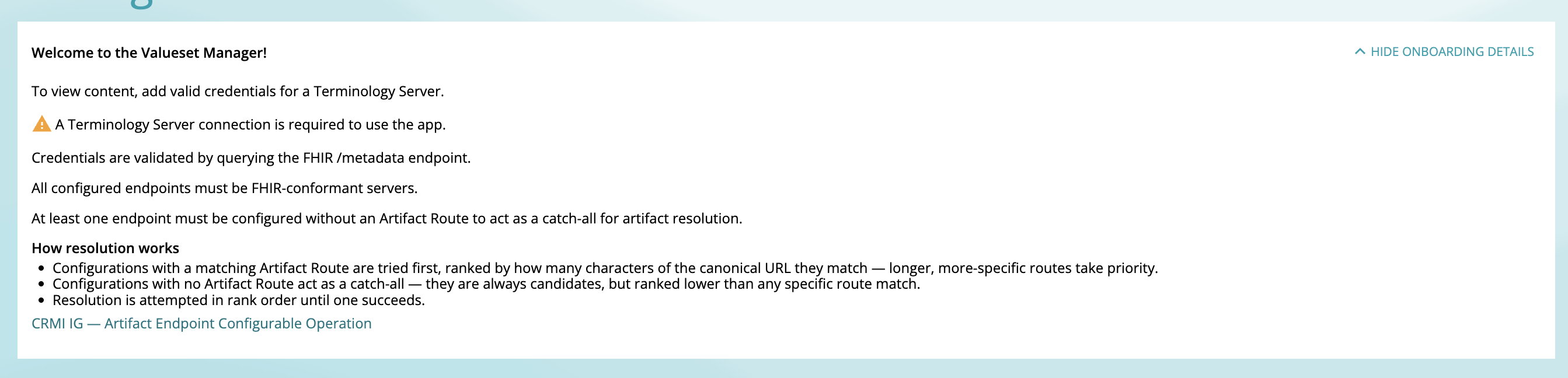
The application can be configured with any number of endpoints, but requires at least one. If no endpoints are configured, the application will indicate this:
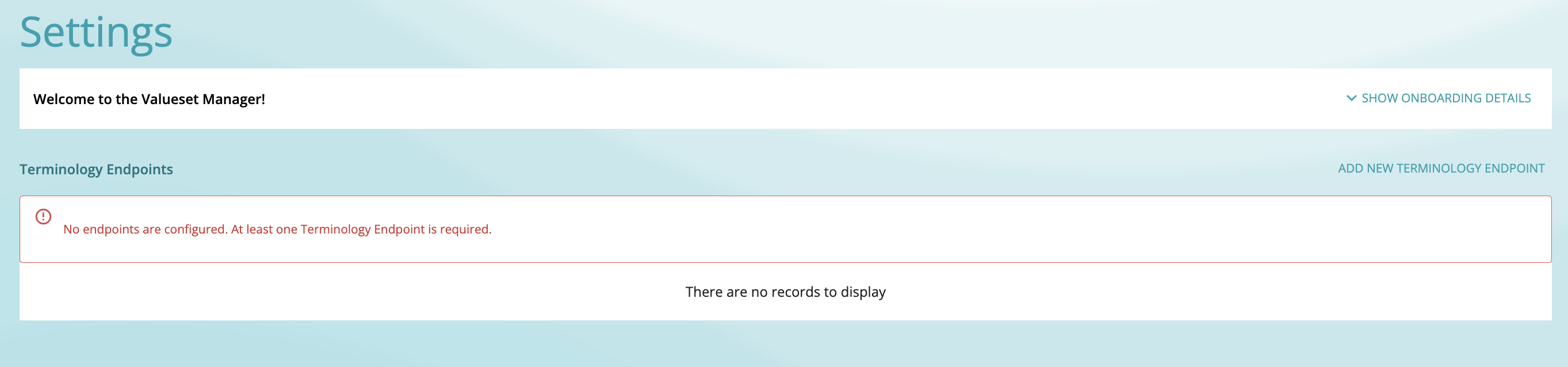
Each endpoint can have an associated route that is used to determine which endpoint should be used to support a given value set. The route is a portion of the canonical identifier for the value set.
For example, VSAC value sets all have a URL that starts with http://cts.nlm.nih.gov/fhir, so a VSAC endpoint might be configured like this:
route: http://cts.nlm.nih.gov/fhirendpoint: https://cts.nlm.nih.gov/fhirThis instructs the application to use the VSAC endpoint to process value sets whose identifier begins with the route.
To ensure that the application always has at least one endpoint that can be used to process any value set, the configuration should always include an endpoint that has no route specified, the catch-all endpoint. If no catch all endpoing it configured, application will indicate this:
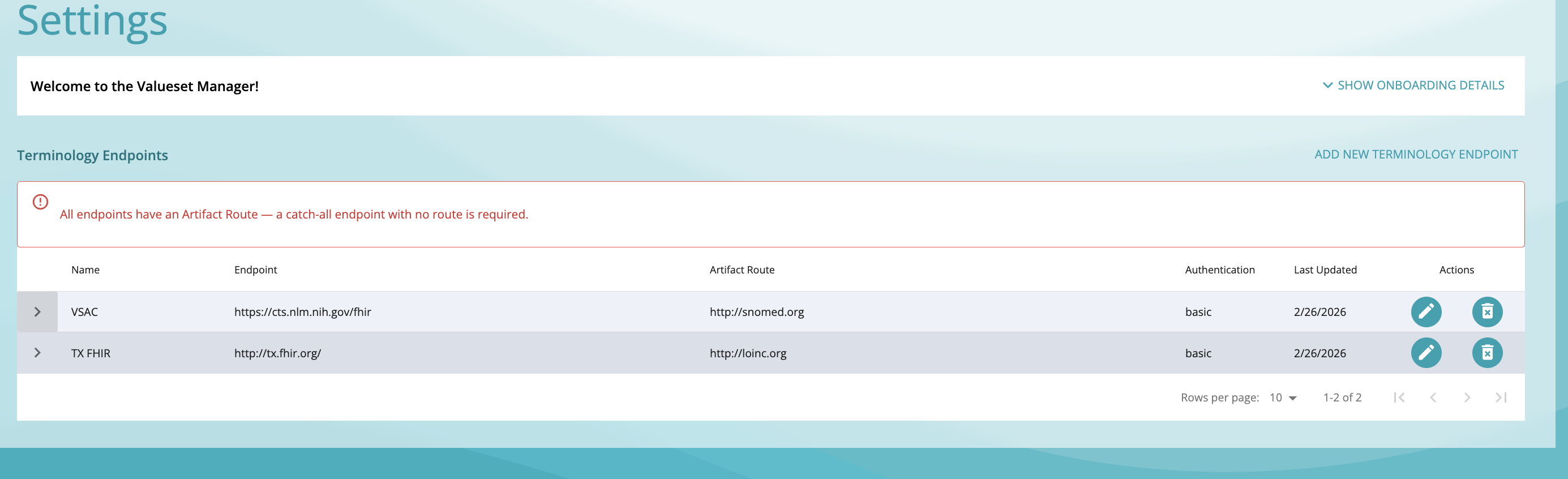
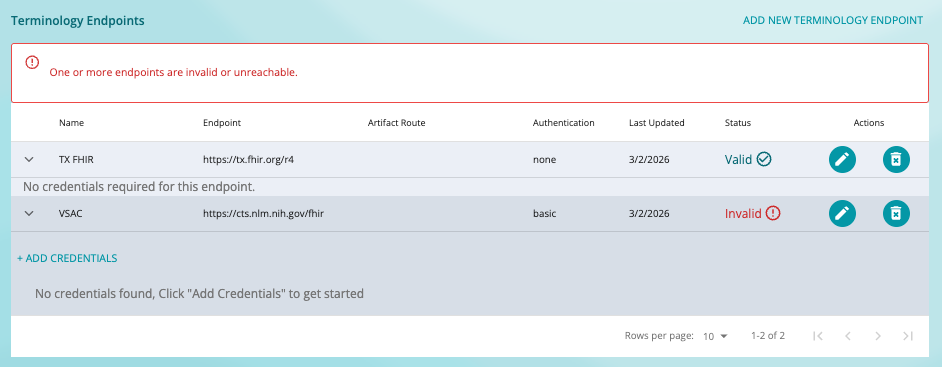
When adding a terminology endpoint, connectivity to the endpoint is verified. Endpoint status is displayed in the settings page:
As part of configuring an endpoint, specify the authentication to be used:
When authentication is configured, each user must provide their own credentials to be used to connect to the terminology endpoint.
For complete local setup instructions, refer to the VSP Setup documentation in the Value Set Manager repository.
Although we do not currently have exhaustive recommendations or metrics for usage, for our testing environments, we have been using:
